【Important Notice for International Buyers – Tomoayax Premium Audio Hi-Fi Japan】
■ Voltage Compatibility
This product is designed exclusively for use in Japan (AC 100V, 50/60Hz).
Many regions use 120V or 220–240V.
Using this product without a proper transformer in such voltage environments may result in malfunction, overheating, or serious and irreversible damage.
■ Plug Type
This product uses a Japanese plug (Type A or B).
A plug adapter may be required depending on your region.
■ Transformer Requirement (Very Important)
A transformer is required for safe use.
A plug adapter only changes the plug shape and DOES NOT convert voltage.
Using this product without a transformer may cause serious and irreversible damage.
■ Buyer Responsibility
As this is high-end audio equipment, the buyer is fully responsible for confirming compatibility with their local voltage (100V / 120V / 220–240V) and usage environment before purchase.
■ No Return / No Refund Policy
We do NOT accept returns or refunds for:
・Voltage mismatch (including 120V and 220–240V environments)
・Use without a transformer
・Plug incompatibility
・Damage caused by improper setup or usage
■ Liability
We are not responsible for any damage, malfunction, or performance issues caused by improper use or incorrect voltage conditions.
■ Final Notice
Please ensure full understanding of the above before purchasing.
Use only under the correct voltage environment.
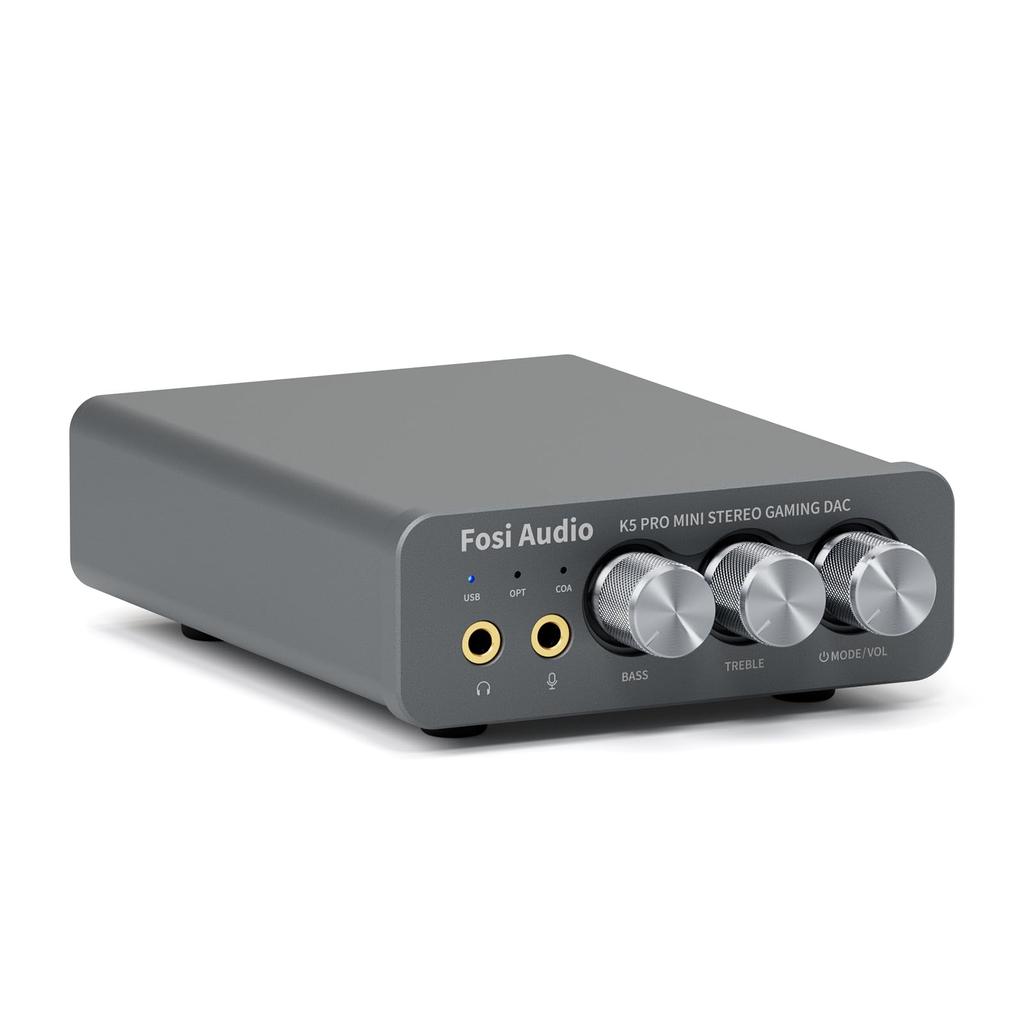
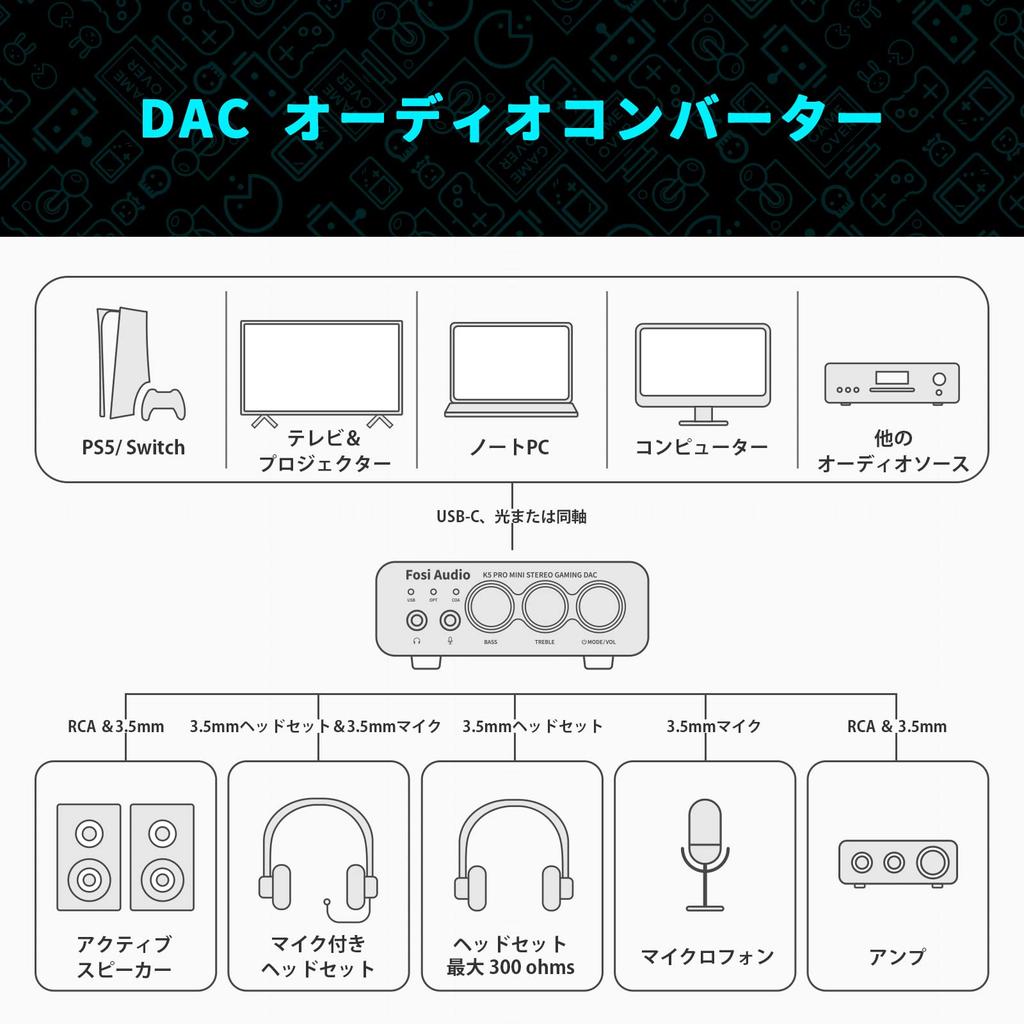
[Headphone Amplifier with Built-in Microphone] The K5 PRO headphone DAC amplifier with added microphone functionality delivers excellent performance as an audio converter. Ideal for home gaming systems. It functions as an external sound card and is compatible with PS5/computers/PCs/MACs/Switch/active speakers, etc.
【2-in-1 USB DAC Amplifier】Converts USB Type C/optical/coaxial signals to 3.5mm AUX and RCA signals with low distortion and excellent dynamic range. The 2-in-1 USB Type C interface, including a charging port and audio input, makes it compatible with smartphones (including mobile phones). The RCA output can be connected to an amplifier or active speakers. The 3.5mm AUX and microphone ports can drive headphones from 16Ω to 300Ω.
【High-Performance Chip】Utilizing the Texas Instruments NE5532 op-amp chip, the K5 PRO's circuit design is optimized for low ground noise and clean sound. It features extremely low noise, high output drive capability, high unity gain, maximum output swing bandwidth, low distortion, high slew rate, input protection diodes, and output short-circuit protection.
[Product Specifications] Features bass, treble, and volume adjustment functions, allowing you to adjust to the music. USB sampling rate: up to 24 bit/96 kHz, Optical/Coaxial sampling rate: up to 24 bit/192 kHz, THD ≤0.003%, SNR ≥110dB. Output power: 1000mw@16Ω, 500mw@32Ω, 300mw@64Ω, 150mw@128Ω, 80mw@300Ω.
【Package Details】K5 PRO DAC Amplifier x1, 3.5MM Headphone Splitter x1, 2-in-1 USB Type A/C to Type C Cable x1, User Manual x1, Optical Cable x1, 24-Month Warranty. Please feel free to contact us if you have any questions.
Please note: ① Before turning on the power, make sure the power cord is properly connected and not loose, and that the socket is functioning correctly. ② If the output power of your audio source device is insufficient, use a 5V 1A or 2A power adapter. ③ To turn on the power, press and hold the volume button for more than 2 seconds.
Why am I experiencing white noise? ① The sound source itself may have noise, so check if the noise disappears when you lower the volume. ② The noise may be due to power interference. Use a well-shielded USB OTG cable and avoid placing it near an AC power cable. Adding ferrite beads to the power line and avoiding the use of an external USB hub is recommended. Try changing the USB port on your computer and switching to a different input mode (OPT/COA, etc.). ③ If the noise is coming from the headphone output, it is recommended to use a 3.5mm ground loop isolator and high-impedance headphones. ④ If the noise is coming from the speaker, there may be a malfunction inside the speaker. It is recommended to test by replacing it with a different speaker.
What should I do if the device won't power on? ① Ensure the power supply is stable. ② Ensure all connections are correct and securely plugged in. ③ Replace the USB OTG cable and try a different USB port. ④ Try using a 5V 1A or 2A power adapter. ⑤ Press and hold the volume button for more than 2 seconds.
The upgraded Fosi Audio Q4 adds a microphone function, the K5 Pro headphone DAC amplifier combo, unparalleled internal construction, superior performance, and richer audio detail with next-generation audio converters. Born for gaming, the K5 Pro stereo DAC headphone amplifier is ideal for home gaming systems, comparable to an external sound card, and suitable for PS5/computer/PC/MAC/active speakers, etc.




 No-delivery refund